DynoPlot
From PyMolWiki
Contents |
DESCRIPTION
This script was setup to do generic plotting, that is given a set of data and axis labels it would create a plot. Initially, I had it setup to draw the plot directly in the PyMol window (allowing for both 2D and 3D style plots), but because I couldn't figure out how to billboard CGO objects (Warren told me at the time that it couldn't be done) I took a different approach. The plot now exists in it's own window and can only do 2D plots. It is however interactive. I only have here a Rama.(phi,psi) plot, but the code can be easily extended to other types of data. For instance, I had this working for an energy vs distance data that I had generated by another script.
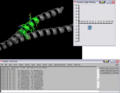
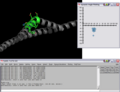
This script will create a Phi vs Psi(Ramachandran) plot of the selection given. The plot will display data points which can be dragged around Phi,Psi space with the corresponding residue's Phi,Psi angles changing in the structure (PyMol window).
IMAGES
SETUP
place the DynoPlot.py script into the appropriate startup directory then restart PyMol
LINUX old-style installation
$PYMOL_PATH/modules/pmg_tk/startup/
LINUX distutils installation
/usr/lib/pythonX.X/site-packages/pmg_tk/startup/
Windows
PYMOL_PATH/modules/pmg_tk/startup/ , where PYMOL_PATH on Windows is defaulted to C:/Program Files/DeLano Scientific/PyMol/start/
NOTES / STATUS
- Tested on Windows, PyMol version 0.97
- This is an initial version, which needs some work.
- Left, Right mouse buttons do different things; Right = identify data point, Left = drag data point around
- Post comments/questions or send them to: dwkulp@mail.med.upenn.edu
USAGE
rama SELECTION
EXAMPLES
- load pdb file 1ENV (download it or use the PDB loader plugin)
- select resi 129-136
- rama sel01
- rock # the object needs to be moving in order for the angles to be updated.
REFERENCES
SCRIPTS (DynoPlot.py)
DynoPlot.py
#!/usr/bin/env python ############################################### # File: DynoPlot.py # Author: Dan Kulp # Creation Date: 8/29/05 # # Notes: # Draw plots that display interactive data. # Phi,Psi plot shown. ############################################### from __future__ import division from __future__ import generators import os,math import Tkinter from Tkinter import * import Pmw import distutils.spawn # used for find_executable import random from pymol import cmd try: import pymol REAL_PYMOL = True except ImportError: print "Nope" canvas = None init = 0 class SimplePlot(Tkinter.Canvas): # Class variables mark = 'Oval' # Only 'Oval' for now.. mark_size = 5 xlabels = [] # axis labels ylabels = [] spacingx = 0 # spacing in x direction spacingy = 0 xmin = 0 # min value from each axis ymin = 0 lastx = 0 # previous x,y pos of mouse lasty = 0 down = 0 # flag for mouse pressed item = (0,) # items array used for clickable events shapes = {} # store plot data, x,y etc.. def axis(self,xmin=40,xmax=300,ymin=10,ymax=290,xint=290,yint=40,xlabels=[],ylabels=[]): # Store variables in self object self.xlabels = xlabels self.ylabels = ylabels self.spacingx = (xmax-xmin) / (len(xlabels) - 1) self.spacingy = (ymax-ymin) / (len(ylabels) - 1) self.xmin = xmin self.ymin = ymin # Create axis lines self.create_line((xmin,xint,xmax,xint),fill="black",width=3) self.create_line((yint,ymin,yint,ymax),fill="black",width=3) # Create tick marks and labels nextspot = xmin for label in xlabels: self.create_line((nextspot, xint+5,nextspot, xint-5),fill="black",width=2) self.create_text(nextspot, xint-15, text=label) if len(xlabels) == 1: nextspot = xmax else: nextspot = nextspot + (xmax - xmin)/ (len(xlabels) - 1) nextspot = ymax for label in ylabels: self.create_line((yint+5,nextspot,yint-5,nextspot),fill="black",width=2) self.create_text(yint-20,nextspot,text=label) if len(ylabels) == 1: nextspot = ymin else: nextspot = nextspot - (ymax - ymin)/ (len(ylabels) - 1) # Plot a point def plot(self,xp,yp,meta): # Convert from 'label' space to 'pixel' space x = self.convertToPixel("X",xp) y = self.convertToPixel("Y",yp) if self.mark == "Oval": oval = self.create_oval(x-self.mark_size,y-self.mark_size,x+self.mark_size,y+self.mark_size,width=1,outline="black",fill="SkyBlue2") self.shapes[oval] = [x,y,0,xp,yp,meta] # Repaint all points def repaint(self): for key,value in self.shapes.items(): x = value[0] y = value[1] self.create_oval(x-self.mark_size,y-self.mark_size,x+self.mark_size,y+self.mark_size,width=1,outline="black",fill="SkyBlue2") # Convert from pixel space to label space def convertToLabel(self,axis, value): # Defaultly use X-axis info label0 = self.xlabels[0] label1 = self.xlabels[1] spacing = self.spacingx min = self.xmin # Set info for Y-axis use if axis == "Y": label0 = self.ylabels[0] label1 = self.ylabels[1] spacing = self.spacingy min = self.ymin pixel = value - min label = pixel / spacing label = label0 + label * abs(label1 - label0) if axis == "Y": label = - label return label # Converts value from 'label' space to 'pixel' space def convertToPixel(self,axis, value): # Defaultly use X-axis info label0 = self.xlabels[0] label1 = self.xlabels[1] spacing = self.spacingx min = self.xmin # Set info for Y-axis use if axis == "Y": label0 = self.ylabels[0] label1 = self.ylabels[1] spacing = self.spacingy min = self.ymin # Get axis increment in 'label' space inc = abs(label1 - label0) # 'Label' difference from value and smallest label (label0) diff = float(value - label0) # Get whole number in 'label' space whole = int(diff / inc) # Get fraction number in 'label' space part = float(float(diff/inc) - whole) # Return 'pixel' position value pixel = whole * spacing + part * spacing # print "Pixel: %f * %f + %f * %f = %f" % (whole, spacing, part, spacing,pixel) # Reverse number by subtracting total number of pixels - value pixels if axis == "Y": tot_label_diff = float(self.ylabels[len(self.ylabels)- 1] - label0) tot_label_whole = int(tot_label_diff / inc) tot_label_part = float(float(tot_label_diff / inc) - tot_label_whole) tot_label_pix = tot_label_whole * spacing + tot_label_part *spacing pixel = tot_label_pix - pixel # Add min edge pixels pixel = pixel + min return pixel # Print out which data point you just clicked on.. def pickWhich(self,event): # Find closest data point x = event.widget.canvasx(event.x) y = event.widget.canvasx(event.y) spot = event.widget.find_closest(x,y) # Print the shape's meta information corresponding with the shape that was picked if self.shapes.has_key(spot[0]): print "Residue(Ca): %s\n" % str(self.shapes[spot[0]][5][2]) # Mouse Down Event def down(self,event): # Store x,y position self.lastx = event.x self.lasty = event.y # Find the currently selected item x = event.widget.canvasx(event.x) y = event.widget.canvasx(event.y) self.item = event.widget.find_closest(x,y) # Identify that the mouse is down self.down = 1 # Mouse Up Event def up(self,event): # Get label space version of x,y labelx = self.convertToLabel("X",event.x) labely = self.convertToLabel("Y",event.y) # Convert new position into label space.. if self.shapes.has_key(self.item[0]): self.shapes[self.item[0]][0] = event.x self.shapes[self.item[0]][1] = event.y self.shapes[self.item[0]][2] = 1 self.shapes[self.item[0]][3] = labelx self.shapes[self.item[0]][4] = labely # Reset Flags self.item = (0,) self.down = 0 # Mouse Drag(Move) Event def drag(self,event): # Check that mouse is down and item clicked is a valid data point if self.down and self.shapes.has_key(self.item[0]): self.move(self.item, event.x - self.lastx, event.y - self.lasty) self.lastx = event.x self.lasty = event.y def __init__(self): self.menuBar.addcascademenu('Plugin', 'PlotTools', 'Plot Tools', label='Plot Tools') self.menuBar.addmenuitem('PlotTools', 'command', 'Launch Rama Plot', label='Rama Plot', command = lambda s=self: ramaplot()) def ramaplot(x=0,y=0,meta=[],clear=0): global canvas global init # If no window is open if init == 0: rootframe=Tk() rootframe.title(' Dynamic Angle Plotting ') canvas = SimplePlot(rootframe,width=320,height=320) canvas.bind("<Button-2>",canvas.pickWhich) canvas.bind("<Button-3>",canvas.pickWhich) canvas.bind("<ButtonPress-1>",canvas.down) canvas.bind("<ButtonRelease-1>",canvas.up) canvas.bind("<Motion>",canvas.drag) canvas.pack(side=Tkinter.LEFT,fill="both",expand=1) canvas.axis(xint=150,xlabels=[-180,-150,-120,-90,-60,-30,0,30,60,90,120,150,180],ylabels=[-180,-150,-120,-90,-60,-30,0,30,60,90,120,150,180]) canvas.update() init = 1 else: canvas.plot(int(x), int(y),meta) # New Callback object, so that we can update the structure when phi,psi points are moved. class DynoRamaObject: global canvas def start(self,sel): # Get selection model model = cmd.get_model(sel) residues = ['dummy'] resnames = ['dummy'] phi = [] psi = [] dummy = [] i = 0 # Loop through each atom for at in model.atom: # Only plot once per residue if not at.chain+":"+at.resn+":"+at.resi in residues: residues.append(at.chain+":"+at.resn+":"+at.resi) resnames.append(at.resn+at.resi) dummy.append(i) i += 1 # Check for a null chain id (some PDBs contain this) unit_select = "" if not at.chain == "": unit_select = "chain "+str(at.chain)+" and " # Define selections for residue i-1, i and i+1 residue_def = unit_select+'resi '+str(at.resi) residue_def_prev = unit_select+'resi '+str(int(at.resi)-1) residue_def_next = unit_select+'resi '+str(int(at.resi)+1) try: # Store phi,psi residue definitions to pass on to plot routine phi_psi = [ # Phi angles residue_def_prev+' and name C', residue_def+' and name N', residue_def+' and name CA', residue_def+' and name C', # Psi angles residue_def+' and name N', residue_def+' and name CA', residue_def+' and name C', residue_def_next+' and name N'] # Compute phi/psi angle phi = cmd.get_dihedral(phi_psi[0],phi_psi[1],phi_psi[2],phi_psi[3]) psi = cmd.get_dihedral(phi_psi[4],phi_psi[5],phi_psi[6],phi_psi[7]) print "Plotting Phi,Psi: "+str(phi)+","+str(psi) ramaplot(phi,psi,meta=phi_psi) except: continue def __call__(self): # Loop through each item on plot to see if updated for key,value in canvas.shapes.items(): dihedrals = value[5] # Look for update flag... if value[2]: # Set residue's phi,psi to new values print "Re-setting Phi,Psi: "+str(value[3])+","+str(value[4]) cmd.set_dihedral(dihedrals[0],dihedrals[1],dihedrals[2],dihedrals[3],value[3]) cmd.set_dihedral(dihedrals[4],dihedrals[5],dihedrals[6],dihedrals[7],value[4]) value[2] = 0 # The wrapper function, used to create the Ploting window and the PyMol callback object def rama(sel): rama = DynoRamaObject() rama.start(sel) cmd.load_callback(rama, "DynoRamaObject") cmd.zoom("all") # Extend these commands cmd.extend('rama',rama) cmd.extend('ramaplot',ramaplot)