Mesh quality: Difference between revisions
No edit summary |
|||
| Line 16: | Line 16: | ||
[[Category:Settings|Mesh quality]] | [[Category:Settings|Mesh quality]] | ||
[[Category:Performance]] | |||
Latest revision as of 20:31, 23 September 2008
Overview
Altering the mesh_quality setting adjusts how precisely the mesh represents the surface. The higher the value the more curved and precise the surface is defined. The default is good compromise for quality and speed (mesh calculation time).
Syntax
# The default is 2.
set mesh_quality, <integer>
Example
-
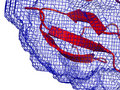 mesh_quality 0 (not smooth)
 -
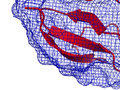 mesh_quality 1
 -
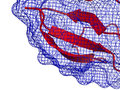 mesh_quality 2 (default)


