Ray Trace Fog: Difference between revisions
No edit summary |
No edit summary |
||
| Line 3: | Line 3: | ||
== Examples == | == Examples == | ||
<gallery> | |||
Image:Fogon.png|Setting off | |||
Image:Fogoff.png|Setting on | |||
</gallery> | |||
== Syntax == | == Syntax == | ||
Revision as of 01:30, 24 July 2006
Overview
The ray_trace_fog setting forces PyMol to render fog over objects further from the camera. This adds a sense of depth and brings the attention to foreground objects.
Examples
-
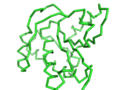 Setting off
 -
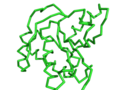 Setting on


Syntax
set ray_trace_fog, 0  # off
set ray_trace_fog, 1  # on