Internal gui width: Difference between revisions
New page: = Overview = This setting determines with width of the openGL-based internal GUI in pixels. If you have objects with very long names, this might come in handy so you can see more of the n... |
No edit summary |
||
| (One intermediate revision by the same user not shown) | |||
| Line 19: | Line 19: | ||
= See Also = | = See Also = | ||
[[Get]], [[Set]], [[:Category:GUI|GUI Category]] | [[Get]], [[Set]], [[:Category:GUI|GUI Category]],[[Internal_gui]] | ||
[[Category:GUI|GUI Category]] | [[Category:GUI|GUI Category]] | ||
[[Category:Settings]] | |||
Latest revision as of 13:25, 16 April 2009
Overview
This setting determines with width of the openGL-based internal GUI in pixels. If you have objects with very long names, this might come in handy so you can see more of the names.
In the following images, notice the size of the GUI controls on the right:
-
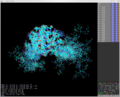 internal_gui_width set to the default, 220.
 -
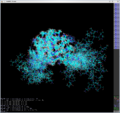 internal_gui_width set to 50.
 -
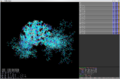 internal_gui_width set to the default, 500.


Syntax
# set to a positive integer width (in pixels)
set internal_gui_width, int

# for example; set the width to 446 pixels.
set internal_gui_width, 446